
Enterprise Password Management – Network Access Authentication
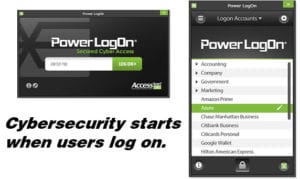 Power LogOn® is a smart card based, enterprise password manager for network access authentication. Other authentication products require extensive back-end network modifications, takes months to implement and force IT to change their security policies to adapt to their security technology. Not Power LogOn. To better understand how Power LogOn delivers network access authentication, check out some of it’s many features:
General Information:
- Primary Application: Windows enterprise password manager for computer, application, server, web, cloud and network access authentication
- Secondary Application: Card life-cycle management, password customization, and network integration
- Operating System: Windows XP, Vista 32/64-bit, Win7 32/64-bit, Win8 32/64-bit, and Win 10 32/64
- Servers: Win Server 2000, 2003, 2008/R2, 2012/R2, 2016, & 2019
- Web Browsers: up to IE 11, Firefox, Chrome
- Authentication factor: Two-Factor or Three-Factor Authentication
- Integration models: Client based or Server based
Password Management:
- Windows Bootup User LogOn
- Network Logon
- Auto Launch IE Web Browser
- Auto User Name & Password Fill and Submit
- Inter-/Intra-/Extra-net Logon
- Auto Record Internet Passwords
- Auto Launch Windows Applications
- Windows Applications Logon
- 100+ Sites Stored when using On-Card Mode(1)
Unlimited when in Server Mode - Data Storage Encryption Integration(2)
Network Access Authentication:
- FIPS 140-2 Verified by InfoGard®
- NIST 800-161
- NIST 800-63b, AAL-3
- Password Manager
- Online ID Protection
- Phishing email Protections
- Keylogger Protection
- Password Generator and Configuration
- Change Password Reminder
- PIN and/or Biometrics Protection
- 6 False Authentication Attempts Lock
- 20 Maximum Character PIN Size
- Alpha/numeric/punctuation PIN Character Type
- Card Data Backup
- Works with Smartcard, RFID or Magnetic Stripe technologies
- Card Removal Action: User Log Off, Computer Lock Down, Computer Shut Down, Nothing, or Custom
- Secure Card Data Printout
- Card Storage Data Encryption: AES-256 & SHA-256
- Session Key Negotiation
- Key Diversification
- Challenge / Response for Card/Server Authentication
- “Salted” password storage
Card and Card Data Security:
- Automatic secure backups
- User Authentication: PIN and/or Biometric
- Dye Sublimation Printing
- Laminate Custom Graphics (Minimum quantity: 500)
- Physical Access RFID Technology (Prox, ISO 14443, ISO-15693, EV1 )
- Holograms, OTP, etc.
- Pre-loaded Secure Passwords
- Customize Card Access Policy
- Prevent Password Repetition
- Custom Options: Contact us for more info
Integration:
- Third-Party Software Logon
- Multiple Smartcard Compatibility
- Add, View, Edit & Delete Cardholders
- Directories supported
- Database Importing & Exporting
- Supports Terminal Services
- Lost or Stolen Card Hotlist
- Recycle Cards and Licenses
- Generate Reports
- IT Administrator PIN Reset
- Administrator Card Issuance
- Card Data Recovery
- Security Processes: SSL, TDES, AES, Encrypted IP address
- Can be integrated without re-badging or centralized kiosks
Other Data Security Features:
- Address & Credit Card Form Fill
- Drag ‘n’ Drop Capabilities
- SIM Based Solutions
- Fits in Wallet
- Automatic Updates
- No Subscription Fees
- No Renewal Fees
- Licenses are transferable
(1) Storage limited to available memory on a contact smartcards
(2) AES-256 and SHA-256