
True Multi-Factor Authentication
Enterprise
Password Manager
IT Centralized Control
Employee-managed passwords leave the virtual front door open, and Power LogOn fixes that:
Power LogOn is an IT-managed centralized enterprise password manager that logs users on to Windows with true MFA (card + PIN), card + biometric, or card + PIN + biometric, using the agency’s PIV or CAC card.
UEI: X4CCM6HULMX6
CAGE: 5AU22
Are You Ignoring Cybersecurity’s
Weakest Link?
Today’s cybersecurity solutions often focus on securing what is behind the firewall, while leaving the company’s “Virtual Front Door” – user login authentication – unlocked and wide open for hackers.
Employee-managed passwords leave the virtual front door open, and Power LogOn fixes that: IT manages the passwords centrally, and users log on with true MFA (card + PIN).
Most Ignored Vulnerabilities
Employee-managed Passwords
Cumbersome Password Policies
Weak Logon Authentication
No IT-centralized Password Management
Passwords alone can be stolen, and Power LogOn fixes that: true MFA (card + PIN).
Government security standards call for true MFA (card + PIN).
Cyber Security Insurance MFA Non-Implementation
Expensive Implementation Costs

Introducing
Power LogOn:
Your Complete Cyber Authentication Solution
Power LogOn
Secures All Virtual Portals
Log In – Secure authentication begins when you first turn on the computer and boot up. If you wait, it’s too late.
Log On – Employees log on to countless apps, files, websites, servers, and clouds. Power LogOn secures ALL logons.
Log Off – Automatic disconnects protect networks from unattended nodes. One click programming makes control easy.


Power LogOn
Secures IT Centralized Control
True Multi-Factor Authentication – Power LogOn employs two or more dissimilar factors for true MFA (card + PIN).
IT Centralized Enterprise Level Password Control – Power LogOn removes cybersecurity’s weakest link—employee managed passwords—and puts IT back in control of network security.
ICAM (Identity Credential Access Management) – Power LogOn utilizes existing physical access ID badges for logical access, avoiding rip and replace.
Power LogOn
Secures Authentication Anywhere
Work – Employee’s existing physical access ID badge used to gain entry through the physical front door now controls access through the virtual front door.
Home – Installs on Home computers to access Cloud, Enterprise Servers, Small Business Networks, or Stand-Alone computer.

Solve All Four Security Challenges with
Power LogOn:
Security
MFA, encryption, and compelling protocols block methods hackers use to breach networks and steal data.
Power LogOn not only safeguards password data, but also protects against cyber-attack methods like social engineering, keyloggers, and phishing.
Compliance
Government and industry require endless specifications and regulations to secure networks and data. Companies must comply to prevent hefty penalties should a breach occur.
A 2021 independent penetration test by Secure Network Technologies of Power LogOn GOV-COA found no weaknesses. Power LogOn is a COTS product, so it doesn’t need a separate review under each government security specification.
Convenience
When security is cumbersome for employees, they will circumvent it for convenience. Power LogOn stops employees from generating, knowing, typing and managing any passwords.
Computer, network, applications and cloud logon access requires just two mouse clicks, and Power LogOn does the rest. And, implementation and management is a breeze for IT.
Economical
IT must convince upper management to fund cybersecurity.
Power LogOn empowers IT to address economic factors including price, branding, revenue potential, and new customer acquisition by providing cost effective solutions, leveraging existing security investments, and making customers feel their personal data is safe.
Products
Power LogOn
Commercial
Power LogOn
Government
Power LogOn
Certificate-based Offline Authentication
Power LogOn
SIEM Extension
Power LogOn
Trusted by:
✓ Healthcare
✓ Corporate
✓ Government
✓ DoW branches
✓ Industrial
✓ Law Enforcement
✓ Manufacturing
✓ Cyber Insurance
Here's How it Works
Learn how Power LogOn has improved security for IT departments in these industries




Take the First Step Toward
Securing All Your Virtual Portals
Pilot
The Evaluation Kit includes:
- 2 USB Readers (Contact or Contactless)
- 6 smartcards (Contact or Contactless)
- The full version of Power LogOn software
- 10 self-adhesive inkjet labels (Contact or
Contactless) - “Getting Started” manuals
- Full PDF User’s Manuals
- 1.5 hours of technical installation support
and training
Ask for an evaluation kit. Contact Access Smart.
Deploy
Once you complete your pilot:
- No additional software is required.
- For pricing, contact Access Smart.
- IT pre-configures the security requirements.
- IT pushes the Power LogOn software out to client computers.
- Employees self-enroll their ID badges from their own computer.
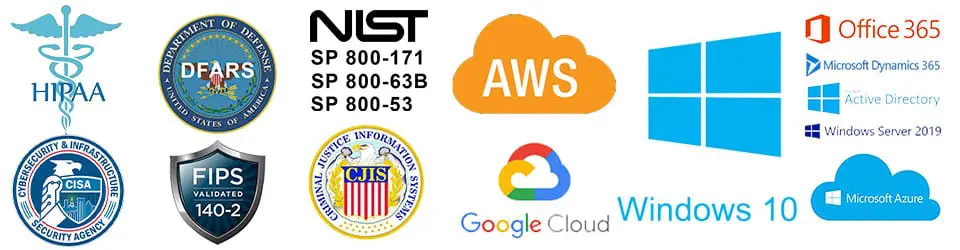
Compliance and System Compatibilities
Have Questions?
Book a Free Consultation

Power LogOn
Commercial
Government
Certificate Offline Authentication
SIEM Extension
Support
Contact
Datasheets
Partners & Resellers
Update History
© 2026 Access Smart, LLC | All Rights Reserved | Privacy Policy | Legal |
